vLock-Digital-LOTO
vLock - Digital LOTO Demo for Ignition Automation
An Ignition Perspective SCADA/HMI demonstration of digital Lockout/Tagout (LOTO), equipment lock status, restart interlocks, and PostgreSQL event logging.
Purpose
During maintenance, operators need to know which equipment is marked “Do Not Operate,” who applied that status, and why.
vLock demonstrates how to display that information in an HMI, record lock apply/release events, and require a deliberate reset before restarting equipment.
The project is intended for controls engineers, Ignition developers, and learners exploring industrial automation workflows. It includes a simulated conveyor and VFDs, so no PLC is required.
How it works
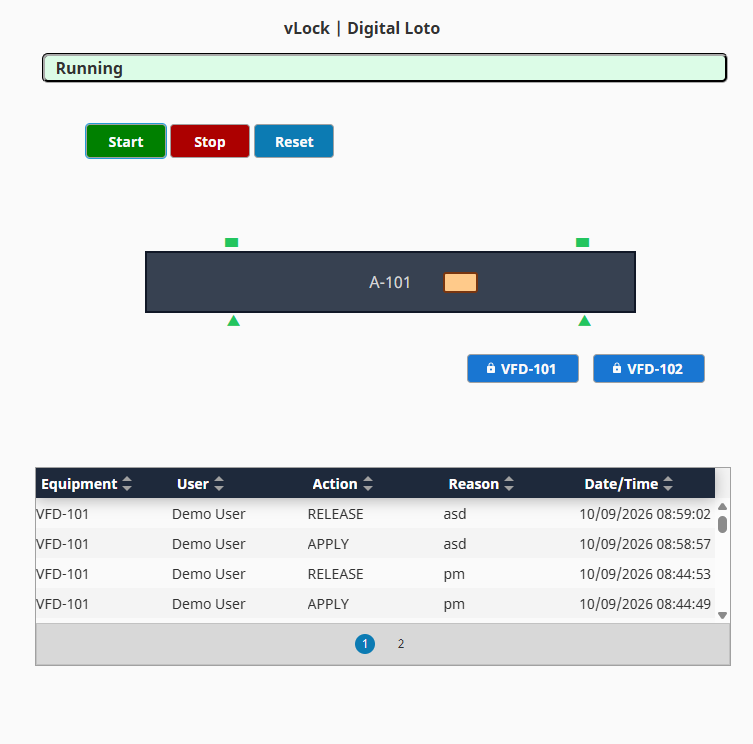
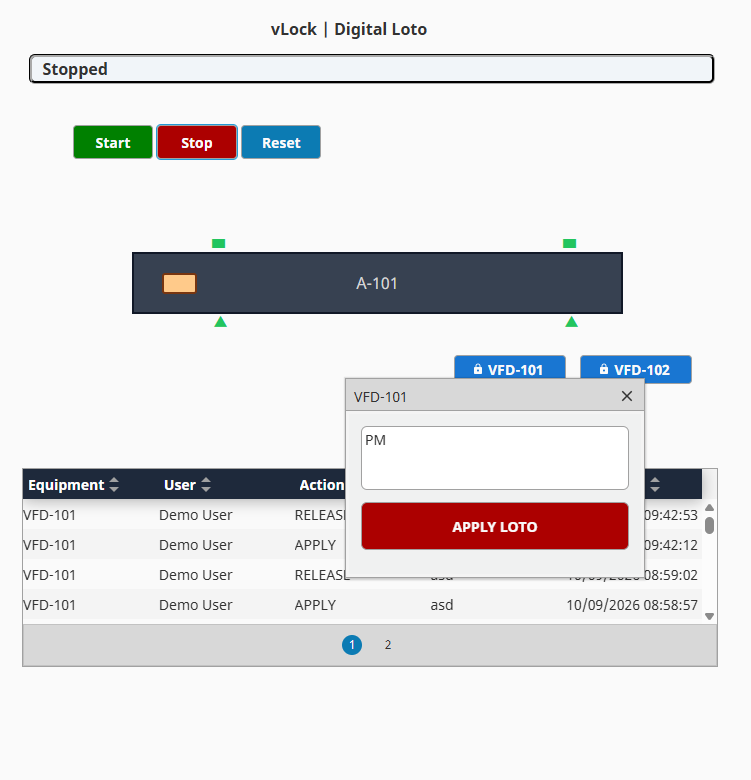
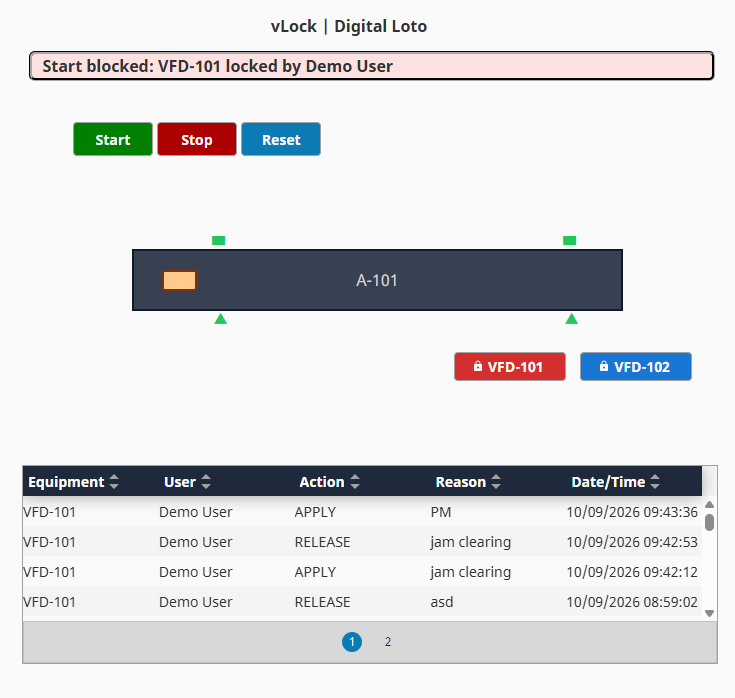
- Apply: Enter a reason. The demo stops the equipment, displays the user and lock status, blocks Start, and records the event.
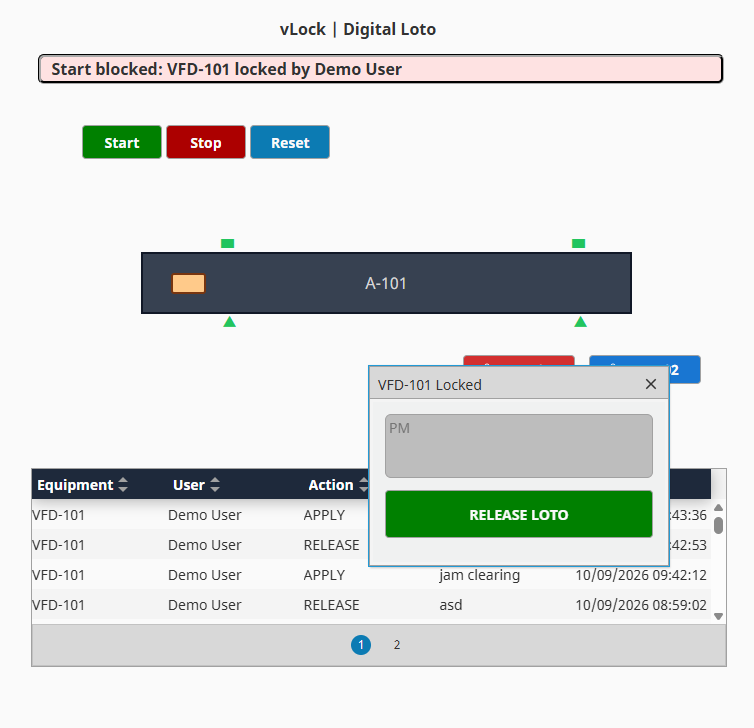
- Release: Clear the digital lock and record the release. Equipment remains stopped.
- Reset, then Start: Clear the reset requirement before restarting.
The interface demonstrates two VFDs. The project uses Perspective views, UDTs, Python/Jython scripts, Named Queries, and PostgreSQL event history.
Unsigned sessions use Demo User.
Installation
Version: 1.0.0
Requirements: Ignition 8.3 with Perspective, PostgreSQL, and a writable tag provider named default.
- Download the repository ZIP and extract it.
- Run
database-schema.sqlin PostgreSQL. - Create an Ignition database connection named exactly
vlock-db, pointing to that database with read/write access. - Import
vlock-digital-loto.zipinto an Ignition project. - Import
vlock-udts.jsoninto UDT Definitions andvlock-tags.jsoninto Tags, both at the root of thedefaultprovider. - In Perspective Page Configuration, map
/vlocktoExchange/VLock/MainPage, then save. - Open
http://<gateway>:8088/data/perspective/client/<project-name>/vlock, replacing the Gateway address and project name.
Page Configuration, Session Properties, and Project Properties are excluded from the export. Add /vlock manually and keep your existing home route.
Try the demo
- Click Start.
- Apply a lock with a reason and confirm that Start is blocked.
- Release the lock. Equipment should remain stopped.
- Press Reset, then Start.
- Check the Apply and Release records in the event-history table.
Screenshots
Current limitations
- One lock per equipment item: Multiple workers cannot hold independent digital locks on the same equipment.
- User permissions: Login and lock-owner release restrictions are not enforced.
- Database reliability: PostgreSQL stores event history; active lock state is held in Gateway tags. Tag changes and database logging are separate operations, so a database failure can leave an event missing from history.
- Concurrent requests: Simultaneous actions from multiple sessions are not serialized and may conflict.
Possible future improvements
- Multi-user locks: Allow multiple workers to apply independent digital locks to the same equipment. Require all locks to be released before Reset and Start.
- Database reliability and recovery: Add durable event storage, retries, and duplicate protection. Explore storing active lock records and recovering their state after Gateway restarts.
- User permissions: Add authenticated users, lock-owner release controls, and an audited supervisor release workflow.
- Computer vision / IIoT integration: Explore camera-based person detection and sensor inputs for alerts, event recording, and an additional simulation inhibit. These inputs would remain separate from worker-applied locks and would not provide safety-rated protection.
- Recovery and edge cases: Validate simultaneous requests, interrupted writes, communication failures, outdated sessions, and restart behavior.
These are proposed improvements, not features included in the current release.
Contributions
Contributions are welcome. Open an issue to discuss an improvement, report a reproducible problem, or propose an integration.
Pull requests should include setup instructions and describe how the change was tested.
Scope
This demonstration supports an established LOTO process. It is not a safety-rated energy-isolation system and does not replace physical lockout/tagout procedures or approved hazardous-energy control methods.
Author and other projects
- GitHub profile
- vMaint - Maintenance management, work orders, inventory, and OEE.
- AI Inventory Monitor - Camera-based inventory monitoring with Python, OpenCV, and AI.
License
MIT License. Copyright (c) 2026 Ender Celik.